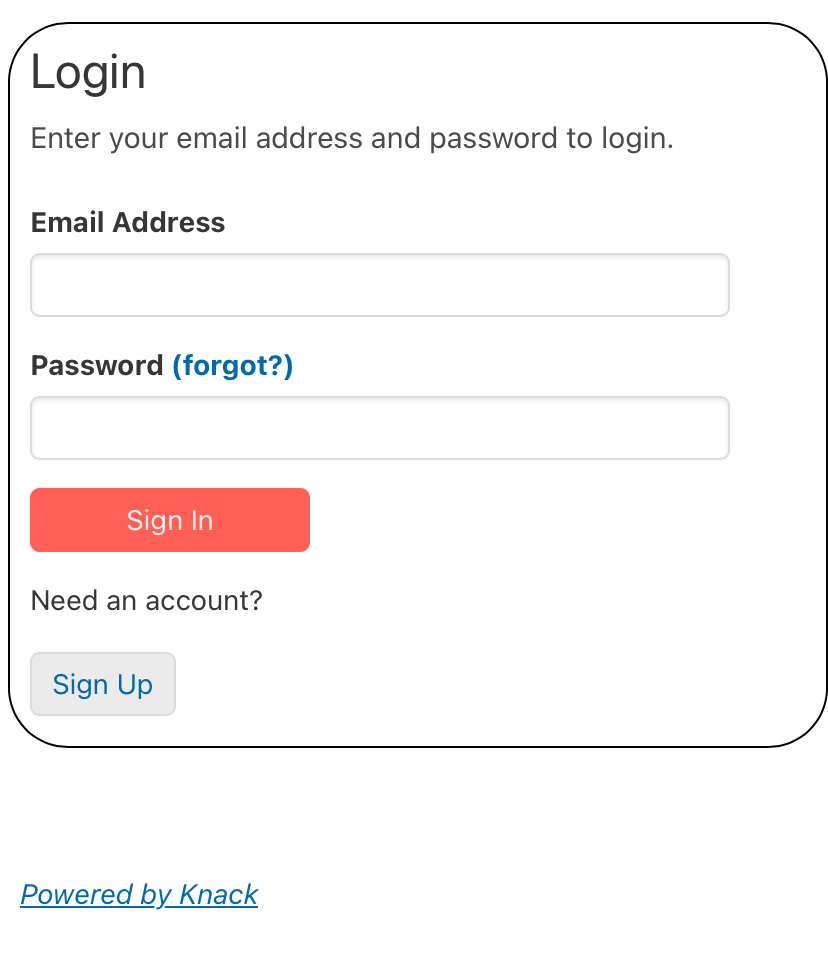
I’m embedding my Knack app into a blank Webflow page. Everything loads fine, but I’m getting a strange issue where multiple rounded rectangles or outlines appear around each view/card in the embedded app — especially in list views and the login form. I’ve loaded the embed code into Webflow’s custom code block as well as the page’s code.
These borders do not appear in the regular Knack app when viewed directly — only when embedded on my Webflow site.
It looks like each view is getting multiple stacked rounded borders, almost like box-shadow or outline is being applied multiple times… but I do not have any borders or shadows in my Webflow CSS.
Screenshots attached for clarity.
Has anyone else experienced this issue? Is there a known CSS conflict between Webflow and Knack’s default styles? Would love any help figuring out what’s triggering the outlines so I can override or remove them.
Thanks in advance!