Adding time to Date/Time field

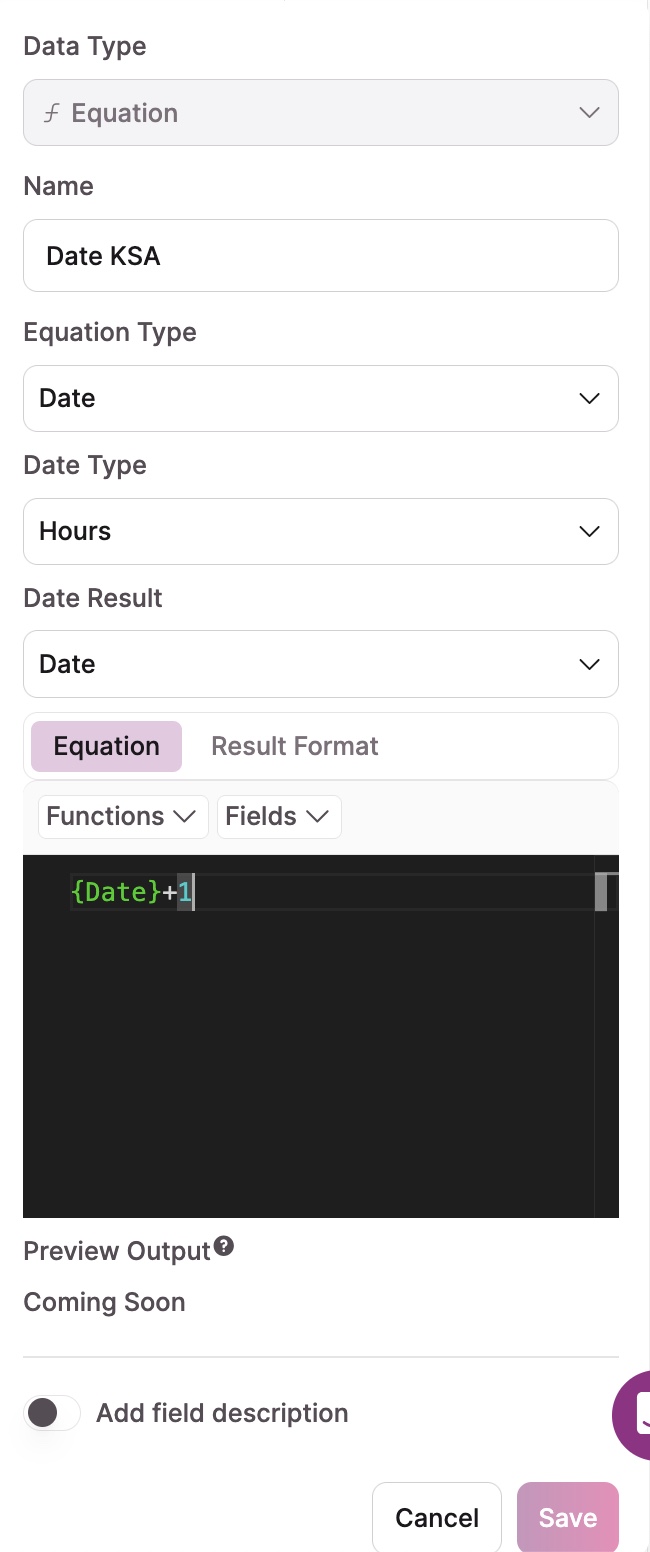
I would like to create a field which adds 1 hour to an existing date/time field. I have set up my equation as per the attached pics. Even though I set the “Date Type” to “hours”, the formula continues to add one DAY to the date.

Any help much appreciated.

1 Like

Hi

I’m not sure of your ultimate objective doing this but this is how we add a “time” to a date which might be of some help.

We have 4 fields being the date, the time, an equation field to convert the time, and then a field combining the date and the converted time.

The time field is a Date/Time field being:

Date Format = Ignore Date

Time Format = HH:MM

Default Time = None

So, your “+ 1 hour” might be 01:00 for example.

The 3rd field is an Equation field converting the time like this:

floor(({Scheduled Start Time} / 60000) % 1440) / 60

Being:

Equation Type = Numeric

Result Format = Decimals = Period & Decimal Places = 2

Rounding = Default

Thousands delimiter = None

Number Format = None

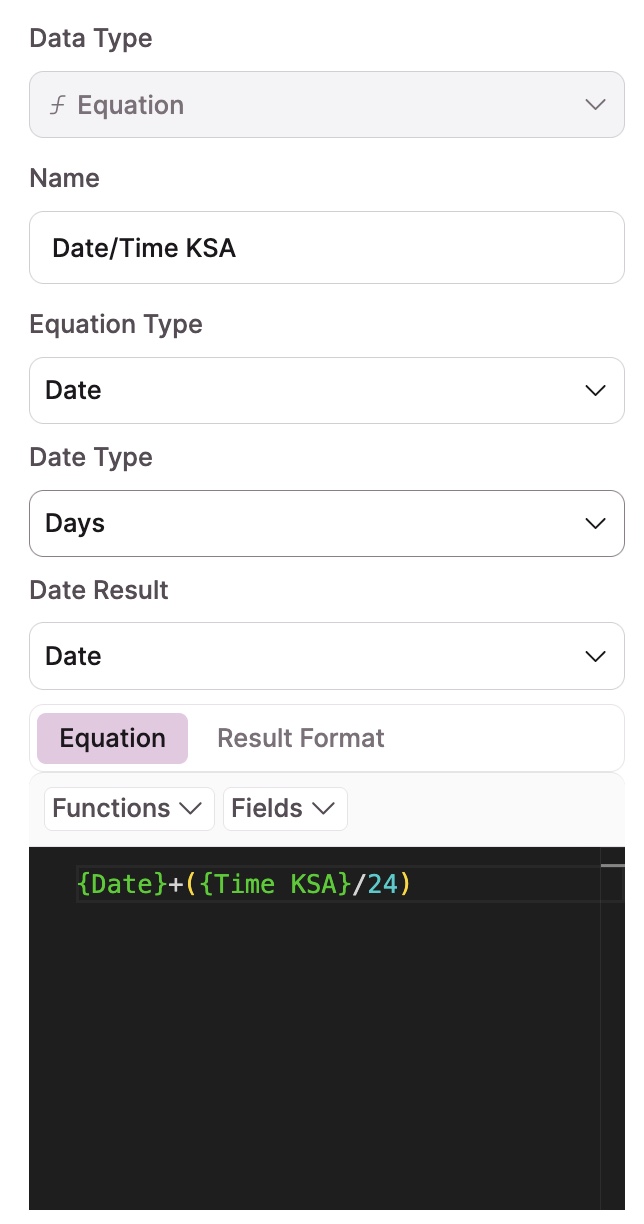
The 4th field is an Equation field combining the date and converted time:

{Shift Date}+({Equation for Start Time}/24)

Being:

Equation Type = Date

Date Type = Days

Result Type = Date

Date Format = Ignore Date

Time Format = HH:MM

image

Hopefully, I’ve included all the steps and this helps.

Dean

Hi Dean,

Many thanks for your meticulously laid-out solution. I’m going to give it a go now.

Regards, John

So, this is the context. I’m wanting to express a date/time field,with a time that is one hour ahead of my local time. This is so that I can send students a lesson reminder using their local time.

First:

I separated my local date and time fields.

Second:

I used this equation in an equation field to add one hour to the time.

((({Time} / 60000)%1440)/60) +1

Third:

I used this equation field to put the new date and time together.

… and viola! all is good!

Thanks Dean!

Mmm… not so fast…

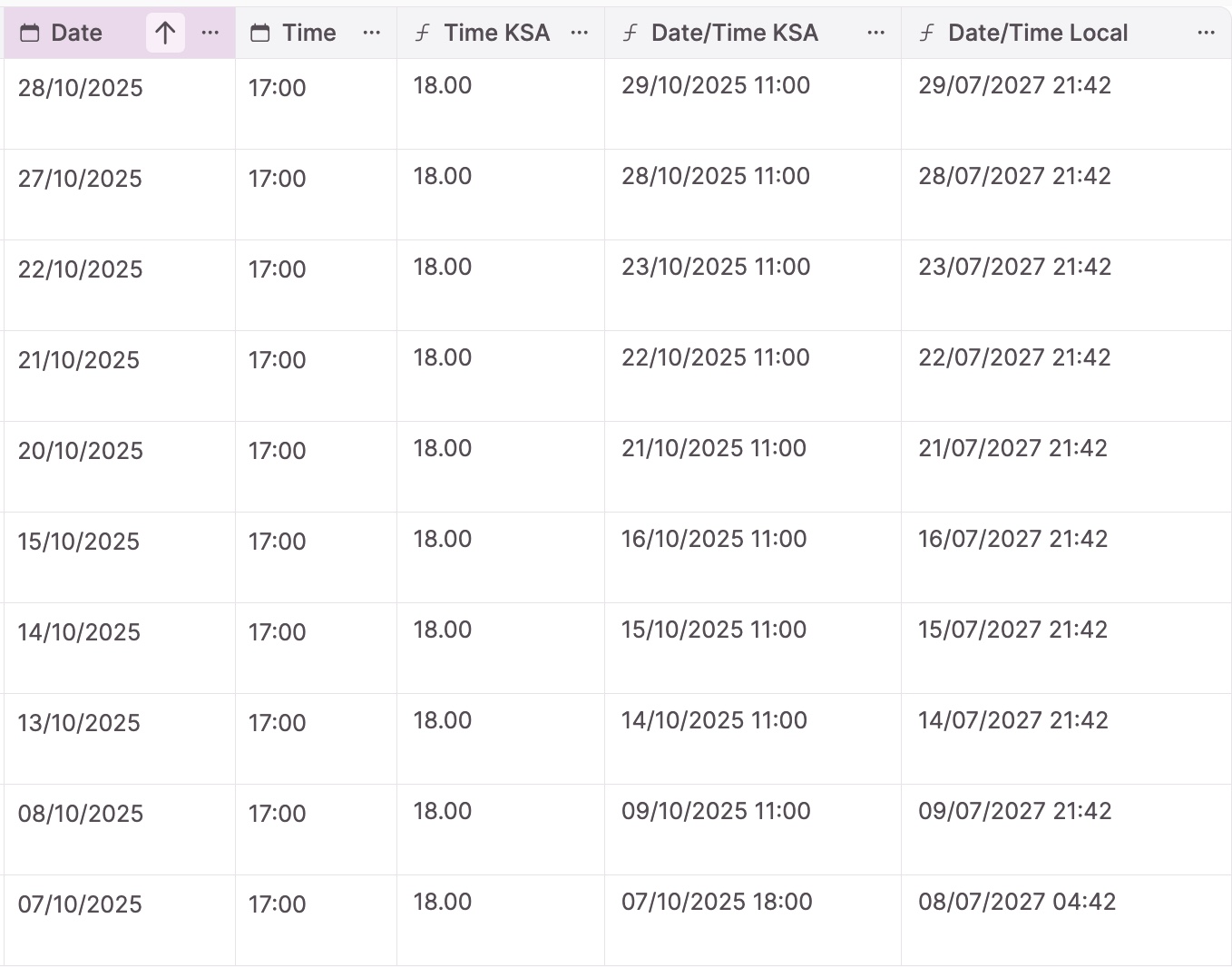
Added an additional equation field to give me a Local Date/Time field for my calendar, opened up the grid to see all the records and…

A calamity of gobbledegook! No idea as to why the last record differs from the others, when the equation applies to all and the time in consistent.

Hi

Sorry, I misunderstood what you were after.

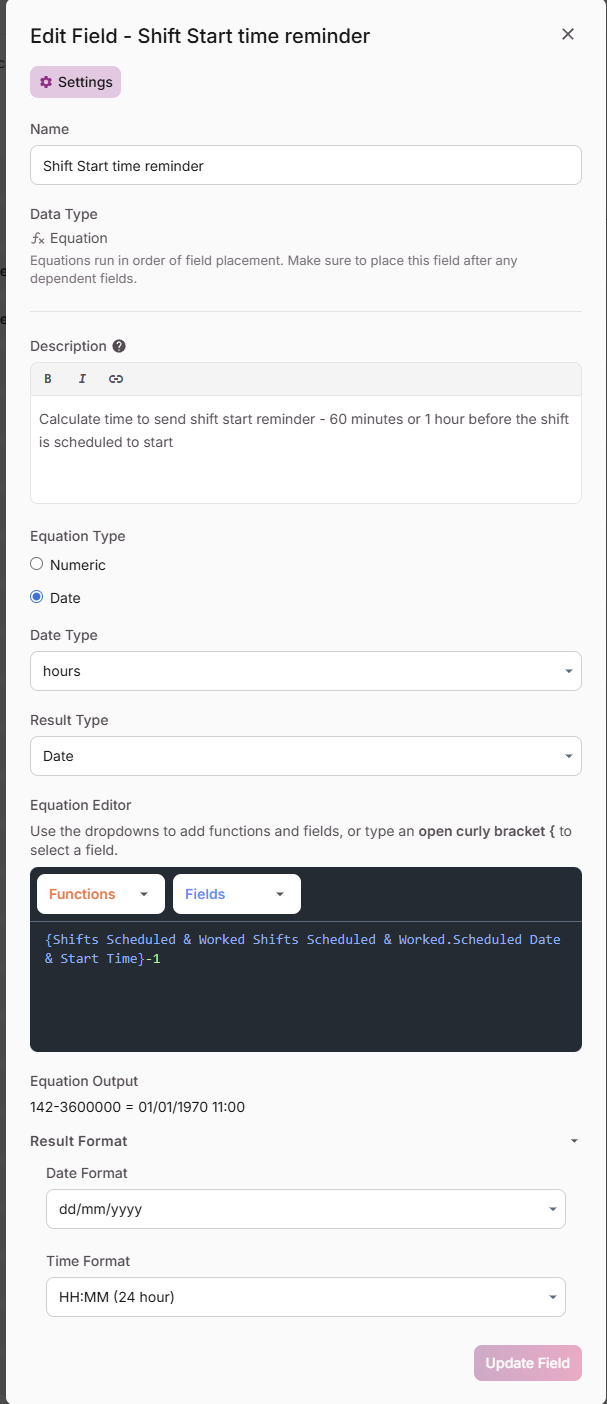
Here’s the calculation I use to calculate a time 1 hour before a shift is due to start so that we can trigger a reminder off it.

Note that the Date Type is Hours and not Days.

Dean

Many thanks Dean. :clap: Much obliged to you for the help!

Good question @houwtama . @Dean2 , I was able to use your solution with a fixed number, as below.

However, when I swap out the fixed number for a number field (in this case, a Max number field containing numbers such as 1, 4, 12, 24, etc.), it doesn’t work. What’s going on?

Hi Phillip

While I can’t tell you what is going on, have you tried creating a number field and using a conditional rule to populate the new number field with your {Max REI of applied products} field values, and then trying to add this number to your {Application finish date and time} field?

Dean

Hi @Dean2 ,

Your solution worked, thanks! It must be some quirk of the coding that doesn’t recognize (or properly format) a ∑ field. When I set up the number field with a conditional rule to set to a field value of {Max REI of applied products}, and then added this new number field to the {Application finish date and time} field, everything calculated as it should. Thanks again!