Hey all,
I wanted to share a project I recently built for the Contra #HolidayChallenge2025. The prompt was to build a holiday-themed app, but instead of a simple gift tracker, I decided to see how far I could bend the Knack Classic Builder to create an immersive “Alternate Reality Game” (ARG).
The result is F.R.O.S.T. (Festive Resonance Operations & Sentiment Tracker).
It’s a career simulator for the “Ministry of Mirth,” a secret 1940s bureaucratic agency protecting holiday cheer.
 F.R.O.S.T.
(Feel free to sign up and test it—it’s a dummy app for the contest! You can also explore quite a bit without signing up. )
The Challenge
We all know Knack is amazing for business logic, but it usually looks like… well, business software. My goal was to completely hide the “Knack-ness” of the app and create a specific “Whimsical Bureaucracy” / WWII / Cold War Spy aesthetic (Vellum paper, typewriters, radar screens).
Here is a breakdown of how I hacked the UI/UX:
1. Role-Based Gamification
I used Knack’s native User Roles to create a 4-tier career path.
- Rank 1 (Observer): Can only see public pages.
- Rank 2 (Agent): Unlocks the “Archives.”
- Rank 3 (Senior Analyst): Unlocks the “War Room.”
- The Logic: A simple count field on the User object tracks approved reports. JS checks this count on page load and updates the user’s “ID Card” (a custom HTML view) in real-time.
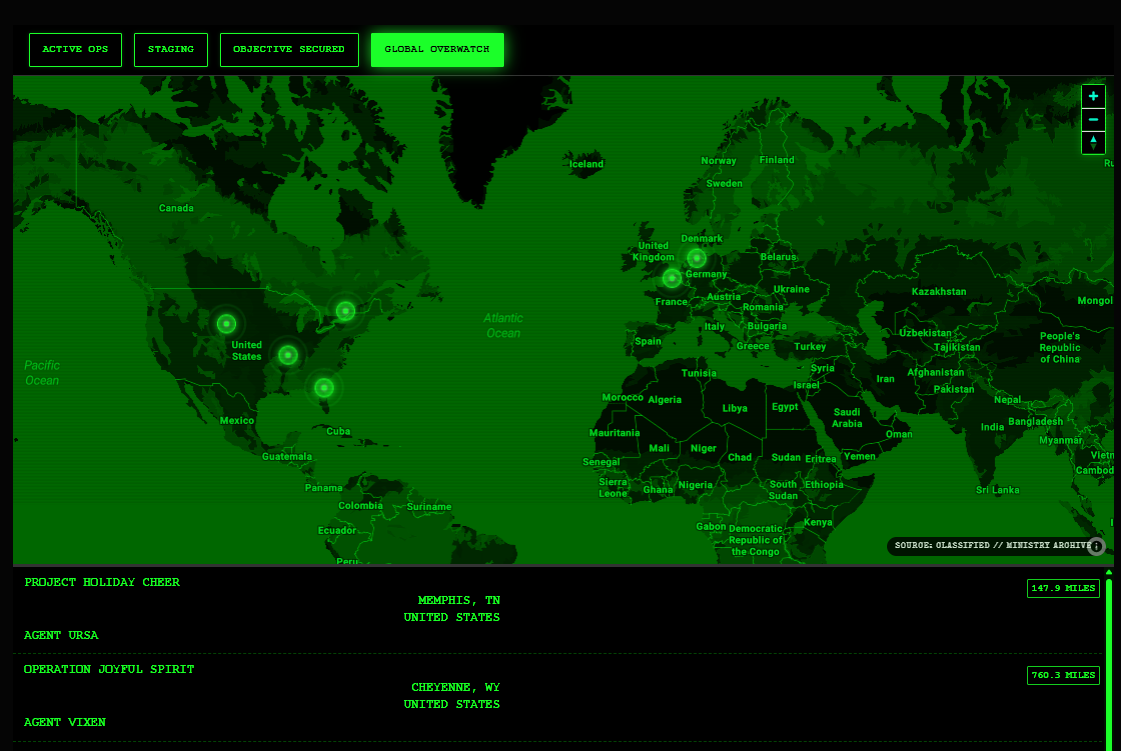
2. The “War Room” (Custom Map Styling)
Standard Knack Maps didn’t fit the “War Room” vibe.
- The Fix: I used CSS Filters (
invert,hue-rotate,sepia) on the native Knack Map view container. - The Result: A “Night Vision” radar screen (Black & Neon Green) without needing a custom Mapbox integration.
- Custom UI: I used a
MutationObserverin JavaScript to detect when a map popup opens, scrape the data, and inject a custom “Terminal Style” HTML card into the popup.
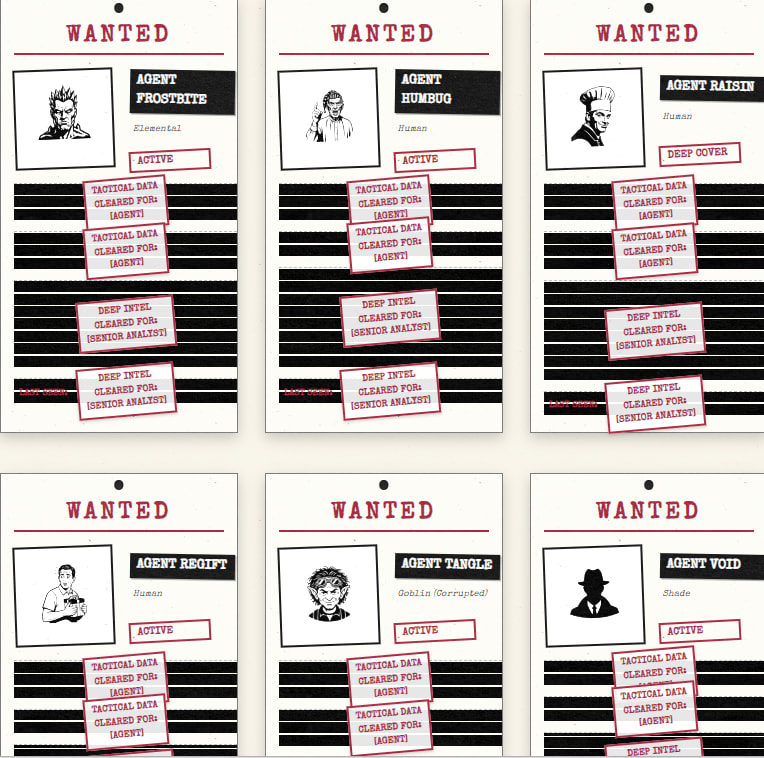
3. Progressive Disclosure (Redaction)
I wanted lower-ranked users to see “Classified” documents they couldn’t read yet.
- The Fix: I wrap text in the Rich Text field with a specific class (e.g.,
<div class="intel-lvl-2">). - The Script: On page render, JavaScript checks the logged-in user’s role. If they don’t have the rank, it applies a CSS class that turns the text
transparentand adds a “Black Tape” or background gradient. (note: this is not a secure method of redacting information. You can easily inspect the element and see the contents. It’s more for “fun” and “atmosphere”.)
4. Optimistic UI
To let users select an avatar (“Cover Identity”), I didn’t want the page to reload and break immersion.
- The Fix: I used JavaScript to intercept the click on an image, instantly swap the HTML on the ID card, and submit a hidden Knack form in the background. Zero lag for the user.
Screenshots

Takeaway
This project was a blast to build. It was fun to push Knack with some CSS and a little JavaScript to see how Knack could handle a highly custom, narrative-driven interface.
Happy to answer any questions about the CSS selectors or JS logic used here!
Vigilance is the price of Merriment. 

