# Login Page partially displaying on Safari 15.4 (on Mac)
**URL:** https://forums.knack.com/t/login-page-partially-displaying-on-safari-15-4-on-mac/12290
**Category:** Get Answers
**Created:** [March 26, 2022, 4:34am UTC](https://forums.knack.com/t/login-page-partially-displaying-on-safari-15-4-on-mac/12290 "2022-03-26T04:34:37Z")
**Posts on this page:** 4
**Page:** 1
### Author:  [@AlvinOng65156](https://forums.knack.com/u/AlvinOng65156)
#### Post date: [March 26, 2022, 4:34am UTC](https://forums.knack.com/t/login-page-partially-displaying-on-safari-15-4-on-mac/12290/1 "2022-03-26T04:34:37Z")
I just notice this issue recently on one of my apps, when I use the embed option to embed the Knack generated script to one of my websites.
When I access that website using Safari (ver 15.4 for Mac and also the version that is on the iPad), Only the button to the login page appears on the browser. The email ID and the password fields do NOT display at all - its missing from the screen.

However, if you were to do the same using Chrome (ver 92.0.4515.xxx) its works fine.
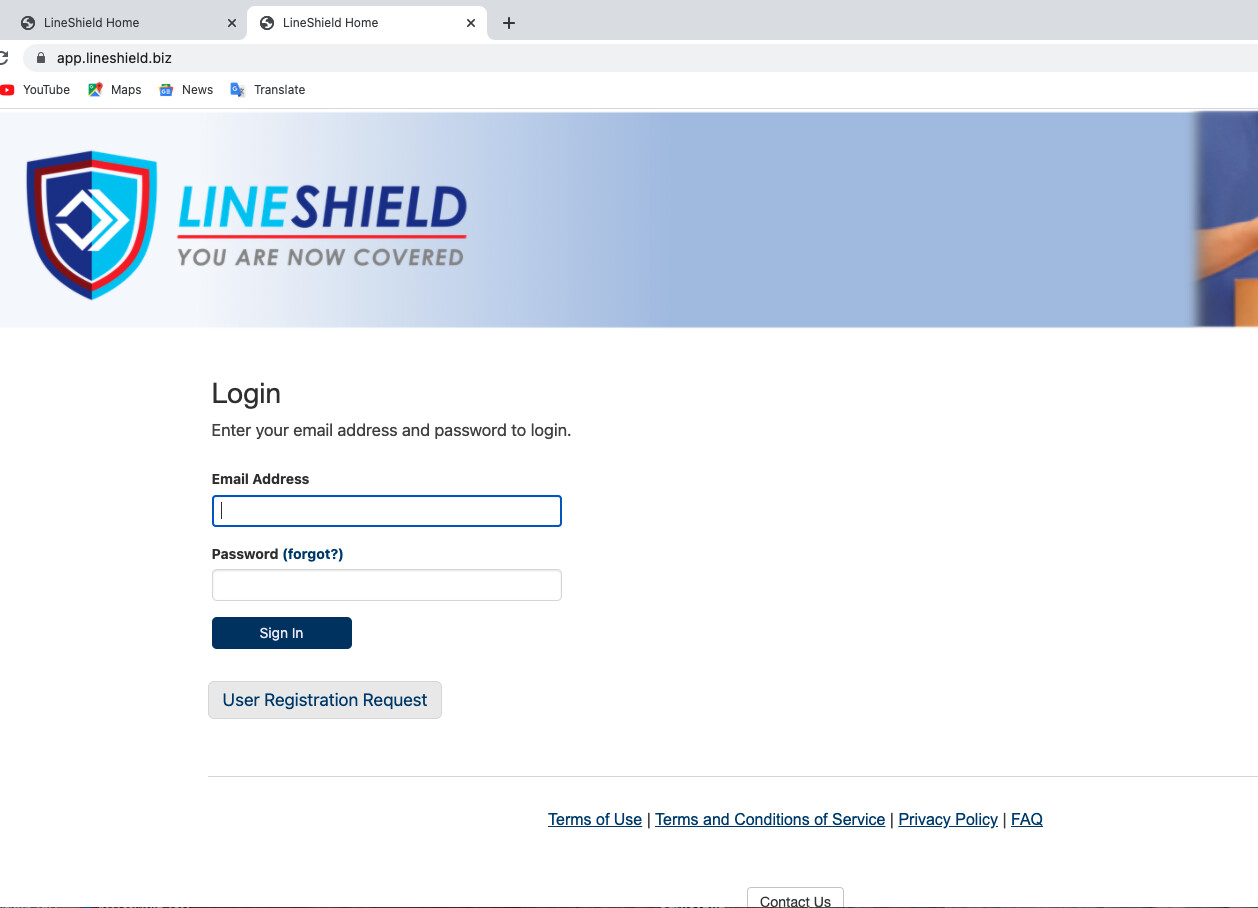
On Firefox (ver. 98.0.2) it renders fine as well.
I have not touched the code for that website for a while, so I don’t really know what variable with the browser has changed since.
I do not currently have access to Microsoft IE or Edge, so I cannot fully test those browsers currently.
Has onyone experienced the same lately, or have any suggestions that I should look at?
Thank you.
Kind regards,
Alvino
---
### Author:  [@KnackPros](https://forums.knack.com/u/KnackPros)
#### Post date: [March 26, 2022, 8:48am UTC](https://forums.knack.com/t/login-page-partially-displaying-on-safari-15-4-on-mac/12290/2 "2022-03-26T08:48:17Z")
Hi Alvin,
This is normal for Embedded apps that use Cookies. Users logging into your embedded app will be redirected to a consent screen to log in.
You can manage these settings in your Builder by going to **User Logins** \> **Embedded Login Security**.
The login experience is different depending on whether you choose either Cookies or Tokens.
You can read more about Cookies and Tokens here:
> **[Embedded Login Security Settings](https://learn.knack.com/article/f52gk9tsdp-embedded-login-security-settings)**
>
> When using logins on an embedded app , there are two settings options available for how user logins are managed, Cookies and Tokens. Each option will give your users a different login experience: Coo…
---
### Author:  [@AlvinOng65156](https://forums.knack.com/u/AlvinOng65156)
#### Post date: [March 26, 2022, 9:43am UTC](https://forums.knack.com/t/login-page-partially-displaying-on-safari-15-4-on-mac/12290/3 "2022-03-26T09:43:40Z")
> [@KnackPros](#):
>
> [Embedded Login Security Settings](https://learn.knack.com/article/f52gk9tsdp-embedded-login-security-settings)
Hi,
Thank you for that very useful pointer. I was not aware of that… as this only started happening to my site recently - probably with the recent upgrades to the MacOS.
Thank you very much for that pointer.
Kind regards,
Alvin Ong
---
### Author:  [@StephenChapman](https://forums.knack.com/u/StephenChapman)
#### Post date: [July 19, 2024, 12:03am UTC](https://forums.knack.com/t/login-page-partially-displaying-on-safari-15-4-on-mac/12290/4 "2024-07-19T00:03:52Z")
Needed this one today. Thanks @KnackPros!